
Appearance
TIP
ARMS automatically instruments LLMs, VectorDBs, MCP, and frameworks by default.
This guide demonstrates how to implement real-time cost tracking, token usage monitoring, hallucination detection, and latency optimization for your AI applications with OpenTelemetry traces and metrics.
Connect to ARMS
Ensure ARMS is running. Send telemetry to https://<arms-host>/api/ingest with an x-api-key header — not collector port 4318. For on-prem access, see On-prem ARMS.
Install ARMS SDK
shell
pip install --extra-index-url https://arms-packages.elsaifoundry.ai/root/elsai-arms/ elsai-arms==3.0.4Instrument your AI application
Manual instrumentation
Via function parameters
python
import elsai_arms

elsai_arms.init(
    otlp_endpoint="https://<arms-host>/api/ingest",
    otlp_headers={"x-api-key": "<api-key>"},
)
Examples:
python
from openai import OpenAI
import elsai_arms

elsai_arms.init(
    otlp_endpoint="https://<arms-host>/api/ingest",
    otlp_headers={"x-api-key": "<api-key>"},
)

client = OpenAI(
    api_key="YOUR_OPENAI_KEY"
)

chat_completion = client.chat.completions.create(
    messages=[
        {
            "role": "user",
            "content": "What is LLM Observability?",
        }
    ],
    model="gpt-3.5-turbo",
)
python
import os
from anthropic import Anthropic
import elsai_arms

elsai_arms.init(
    otlp_endpoint="https://<arms-host>/api/ingest",
    otlp_headers={"x-api-key": "<api-key>"},
)

client = Anthropic(
    # This is the default and can be omitted
    api_key=os.environ.get("ANTHROPIC_API_KEY"),
)

message = client.messages.create(
    max_tokens=1024,
    messages=[
        {
            "role": "user",
            "content": "Hello, What is LLM Observability?",
        }
    ],
    model="claude-3-opus-20240229",
)
python
import cohere
import elsai_arms

elsai_arms.init(
    otlp_endpoint="https://<arms-host>/api/ingest",
    otlp_headers={"x-api-key": "<api-key>"},
)

co = cohere.Client(
    api_key="YOUR_API_KEY",
)

chat = co.chat(
    message="hello world!",
    model="command"
)
python
from litellm import completion
import os
import elsai_arms

elsai_arms.init(
    otlp_endpoint="https://<arms-host>/api/ingest",
    otlp_headers={"x-api-key": "<api-key>"},
)

os.environ["HUGGINGFACE_API_KEY"] = "huggingface_api_key"

# e.g. Call 'WizardLM/WizardCoder-Python-34B-V1.0' hosted on HF Inference endpoints
response = completion(
  model="huggingface/WizardLM/WizardCoder-Python-34B-V1.0",
  messages=[{ "content": "Hello, how are you?","role": "user"}],
  api_base="https://my-endpoint.huggingface.cloud"
)
python
from langchain_core.messages import HumanMessage, SystemMessage
import elsai_arms

elsai_arms.init(
    otlp_endpoint="https://<arms-host>/api/ingest",
    otlp_headers={"x-api-key": "<api-key>"},
)

from langchain_openai import ChatOpenAI

model = ChatOpenAI(model="gpt-4o-mini")

messages = [
    SystemMessage(content="Translate the following from English into Italian"),
    HumanMessage(content="hi!"),
]

model.invoke(messages)
python
import ollama
import elsai_arms

elsai_arms.init(
    otlp_endpoint="https://<arms-host>/api/ingest",
    otlp_headers={"x-api-key": "<api-key>"},
)

response = ollama.chat(model='llama3.1', messages=[
  {
    'role': 'user',
    'content': 'Why is the sky blue?',
  },
])
Via environment variables
Add the following two lines to your application code:
python
import elsai_arms

elsai_arms.init()
Run the following command to configure the OTEL export endpoint:
shell
export OTEL_EXPORTER_OTLP_ENDPOINT="https://<arms-host>/api/ingest"
export OTEL_EXPORTER_OTLP_HEADERS="x-api-key=<api-key>"
Examples:
python
from openai import OpenAI
import elsai_arms

elsai_arms.init()

client = OpenAI(
    api_key="YOUR_OPENAI_KEY"
)

chat_completion = client.chat.completions.create(
    messages=[
        {
            "role": "user",
            "content": "What is LLM Observability?",
        }
    ],
    model="gpt-3.5-turbo",
)
python
import os
from anthropic import Anthropic
import elsai_arms

elsai_arms.init()

client = Anthropic(
    # This is the default and can be omitted
    api_key=os.environ.get("ANTHROPIC_API_KEY"),
)

message = client.messages.create(
    max_tokens=1024,
    messages=[
        {
            "role": "user",
            "content": "Hello, What is LLM Observability?",
        }
    ],
    model="claude-3-opus-20240229",
)
python
import cohere
import elsai_arms

elsai_arms.init()

co = cohere.Client(
    api_key="YOUR_API_KEY",
)

chat = co.chat(
    message="hello world!",
    model="command"
)
python
from litellm import completion
import os
import elsai_arms

elsai_arms.init()

os.environ["HUGGINGFACE_API_KEY"] = "huggingface_api_key"

# e.g. Call 'WizardLM/WizardCoder-Python-34B-V1.0' hosted on HF Inference endpoints
response = completion(
  model="huggingface/WizardLM/WizardCoder-Python-34B-V1.0",
  messages=[{ "content": "Hello, how are you?","role": "user"}],
  api_base="https://my-endpoint.huggingface.cloud"
)
python
from langchain_core.messages import HumanMessage, SystemMessage
import elsai_arms

elsai_arms.init()

from langchain_openai import ChatOpenAI

model = ChatOpenAI(model="gpt-4o-mini")

messages = [
    SystemMessage(content="Translate the following from English into Italian"),
    HumanMessage(content="hi!"),
]

model.invoke(messages)
python
import ollama
import elsai_arms

elsai_arms.init()

response = ollama.chat(model='llama3.1', messages=[
  {
    'role': 'user',
    'content': 'Why is the sky blue?',
  },
])
Zero-code instrumentation
bash
# Install ARMS
pip install --extra-index-url https://arms-packages.elsaifoundry.ai/root/elsai-arms/ elsai-arms==3.0.4

# Configure via CLI arguments
elsai-arms-instrument \
  --service_name my-ai-app \
  --environment production \
  --otlp_endpoint https://<arms-host>/api/ingest \
  --otlp_headers '{"x-api-key":"<api-key>"}' \
  python your_app.py
bash
# Configure via environment variables
export OTEL_SERVICE_NAME=my-ai-app
export OTEL_DEPLOYMENT_ENVIRONMENT=production
export OTEL_EXPORTER_OTLP_ENDPOINT=https://<arms-host>/api/ingest
export OTEL_EXPORTER_OTLP_HEADERS=x-api-key=<api-key>

# Run with zero code changes
elsai-arms-instrument python your_app.py
Refer to ARMS Python SDK repository for more advanced configurations and use cases.
Monitor, debug and test the quality of your AI applications
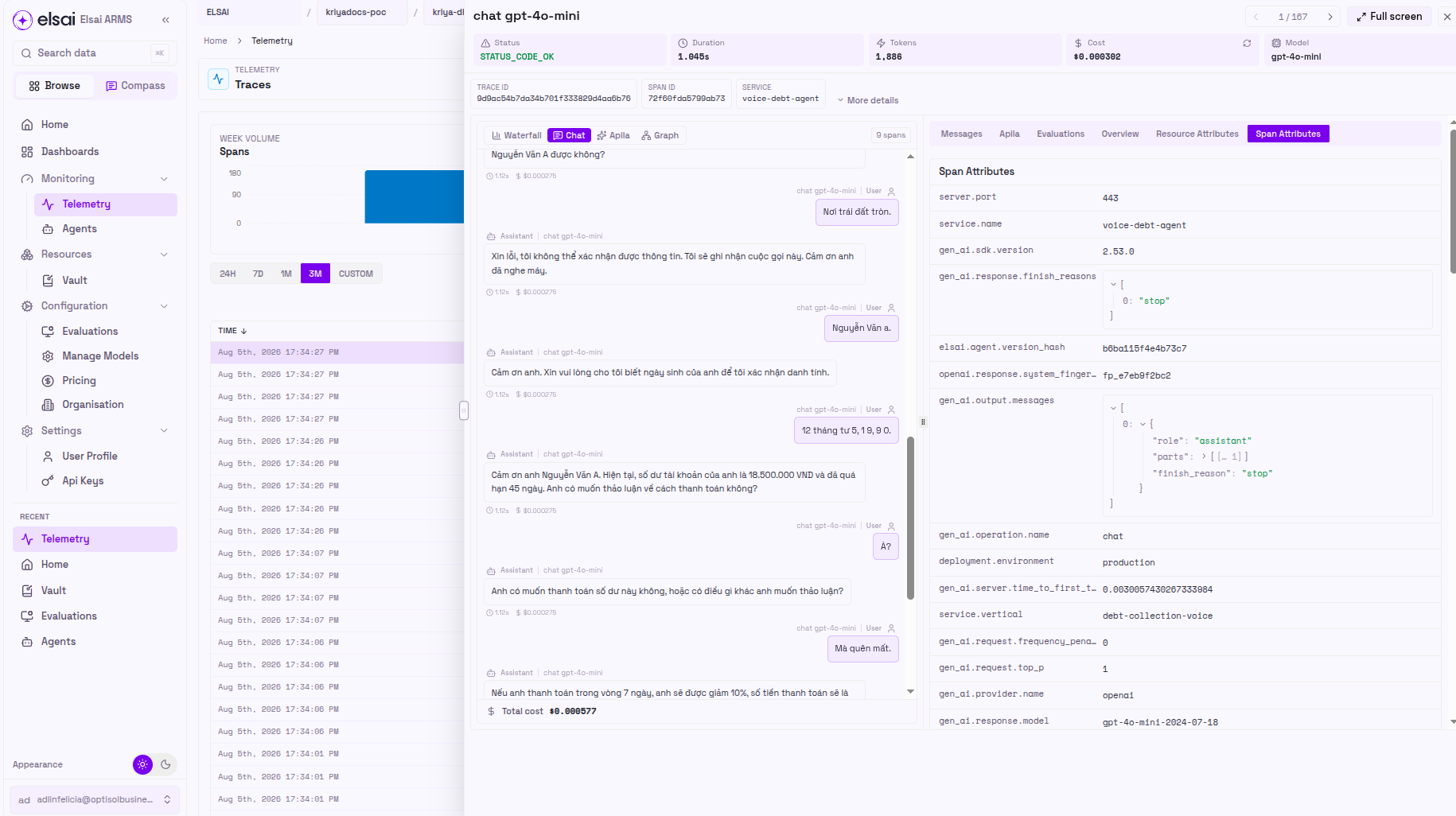
With real-time LLM observability data now flowing to ARMS, visualize comprehensive AI performance metrics including token costs, latency patterns, hallucination rates, and model accuracy to optimize your production AI applications.
Open ARMS at 127.0.0.1:3000 and register or sign in with email and password. There is no default account.
You're all set! Your AI applications now have observability with real-time performance monitoring, cost tracking, and AI safety evaluations.
Send Observability telemetry to other OpenTelemetry backends
If you wish to send telemetry directly from the SDK to another backend, you can stop the current Docker services by using the command below. For more details on sending the data to your existing OpenTelemetry backends, checkout our Supported Destinations guide.
sh
docker compose downIf you have any questions or need support, reach out to our community.