
Appearance
Vault
The Vault keeps API keys, passwords and tokens in one encrypted place, so that nothing secret ever lives inside an agent, tool or workflow. Everything else refers to a secret by name.
At a glance
| Where | Sidebar → Organisation → Vault (also Settings → Vault) |
| Who | Admins create, replace and delete secrets. Authors and above can choose a secret wherever Studio asks for a key. Nobody can read a value back |
| Before you begin | The key or password you want to store |
1. What it is and why it matters
Because agents and tools hold only a reference (secret://<scope>/<name>), you can share, download, import or review them without leaking a key, and you can replace a key in one place without editing anything that uses it.
2. Key ideas
| Idea | Meaning |
|---|---|
| Key | The secret's name, e.g. openai_key. Lowercase letters, digits, dots, hyphens and underscores |
| Scope: This project | Only this project can read it. Referenced as secret://project/<key> |
| Scope: Whole organisation | Every project can read it. Referenced as secret://org/<key> |
| Value | The secret itself. Never shown again after saving |
| Tags | Optional comma-separated labels for searching later |
Studio never falls back silently from a project secret to an organisation one, so you always know which account is used, and billed. Prefer This project unless the key really is shared.
3. Create a secret
- Open Vault and click Create new.
- Enter the Key, choose the Scope, paste the Value, and optionally add Tags.
- Click Create secret.
Screenshot: Vault
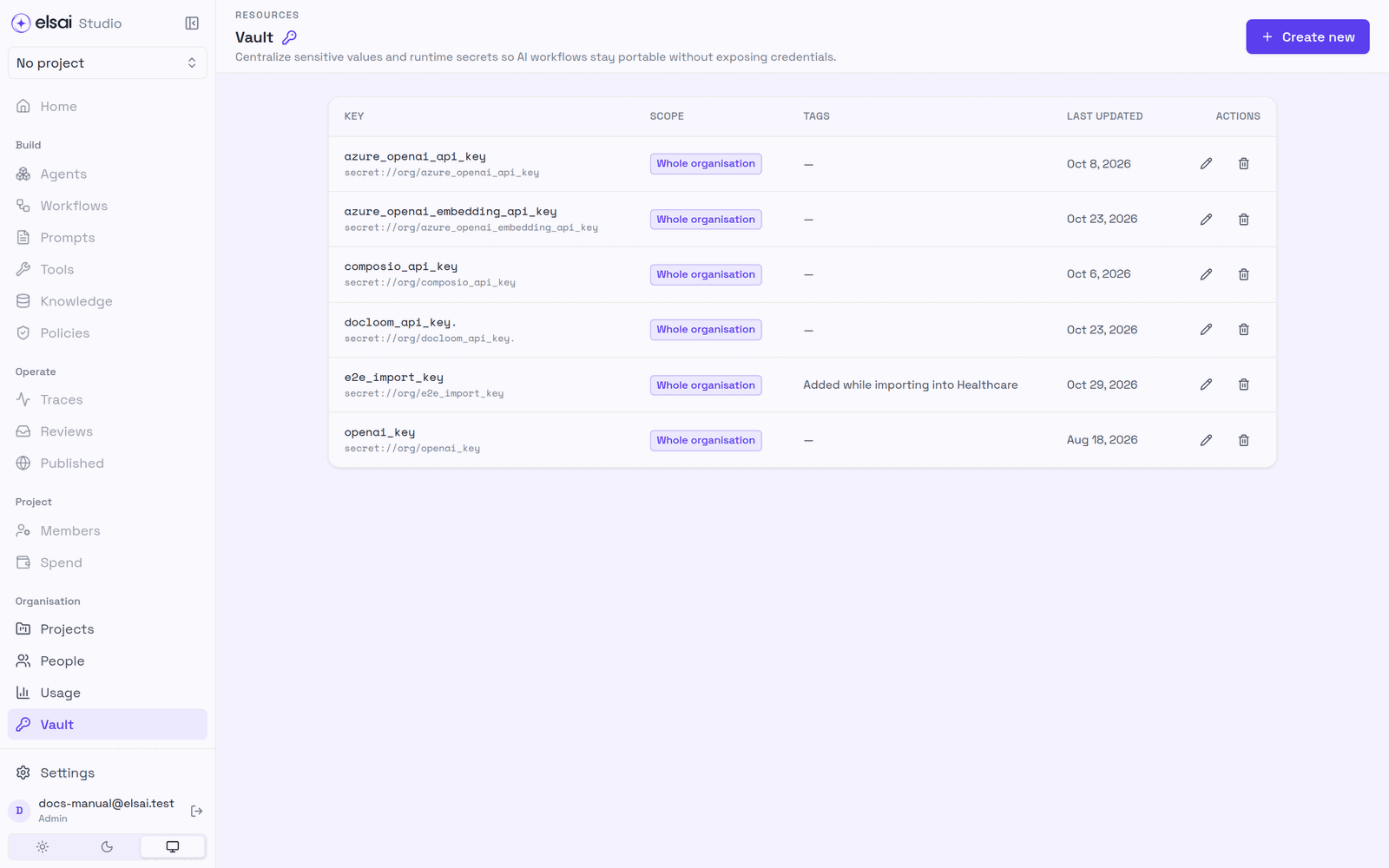
Many screens also offer Add new or Create new next to a key picker, for creating a secret without leaving the page.
4. Replace or delete a secret
| Action | Do | Effect |
|---|---|---|
| Replace | The replace icon on its row → enter the new value | Everything that refers to it uses the new value from the next run. Nothing else changes |
| Delete | The bin icon → confirm | Agents in this project that reference … (or Every project that references …) will stop working until remapped |
Rotate keys by replacing them, not by creating a new name.
5. Keys Studio looks for by name
| Secret | Used by |
|---|---|
Your model keys (e.g. openai_key) | Agents (Credentials), LLM configuration |
brave_api_key, exa_api_key, tavily_api_key | The built-in web search tools |
composio_api_key (organisation) | Apps |
| A Docloom key | Reading PDFs in knowledge bases and the Read documents step |
| An embedding key | Knowledge base search |
6. Troubleshooting
| Symptom | Likely cause | Fix |
|---|---|---|
| No Create new button | You are not an Admin | Ask an Admin |
| Use lowercase letters, digits, dots, hyphens, and underscores (min 2) | Invalid key name | e.g. payer_api_key |
| A key does not appear in a picker | It is project-scoped to another project | Create it here, or make an organisation secret |
| Runs fail with 401 after a change | The value was replaced with a wrong one | Replace it again |
| Runs fail after deleting a secret | Something still refers to it | Recreate it with the same name, or change the reference |