
Appearance
Traces
Traces show how every agent and workflow in the project is doing, and exactly what each run did: what it was asked, each step, each answer, how long it took, how many tokens it used and what it cost.
At a glance
| Where | Sidebar → Operate → Traces |
| Who | Everyone in the project |
| Before you begin | Nothing. Every run, Playground, workflow or API, appears here |
1. What it is and why it matters
When an answer looks wrong, the first question is "what did it actually do?". Traces answer it without guesswork: the input, every step in order, the tool calls, and the result, for every run, whoever started it. They also show the trend: is this agent getting slower, failing more, costing more?
2. Read the overview
Screenshot: Operate → Traces
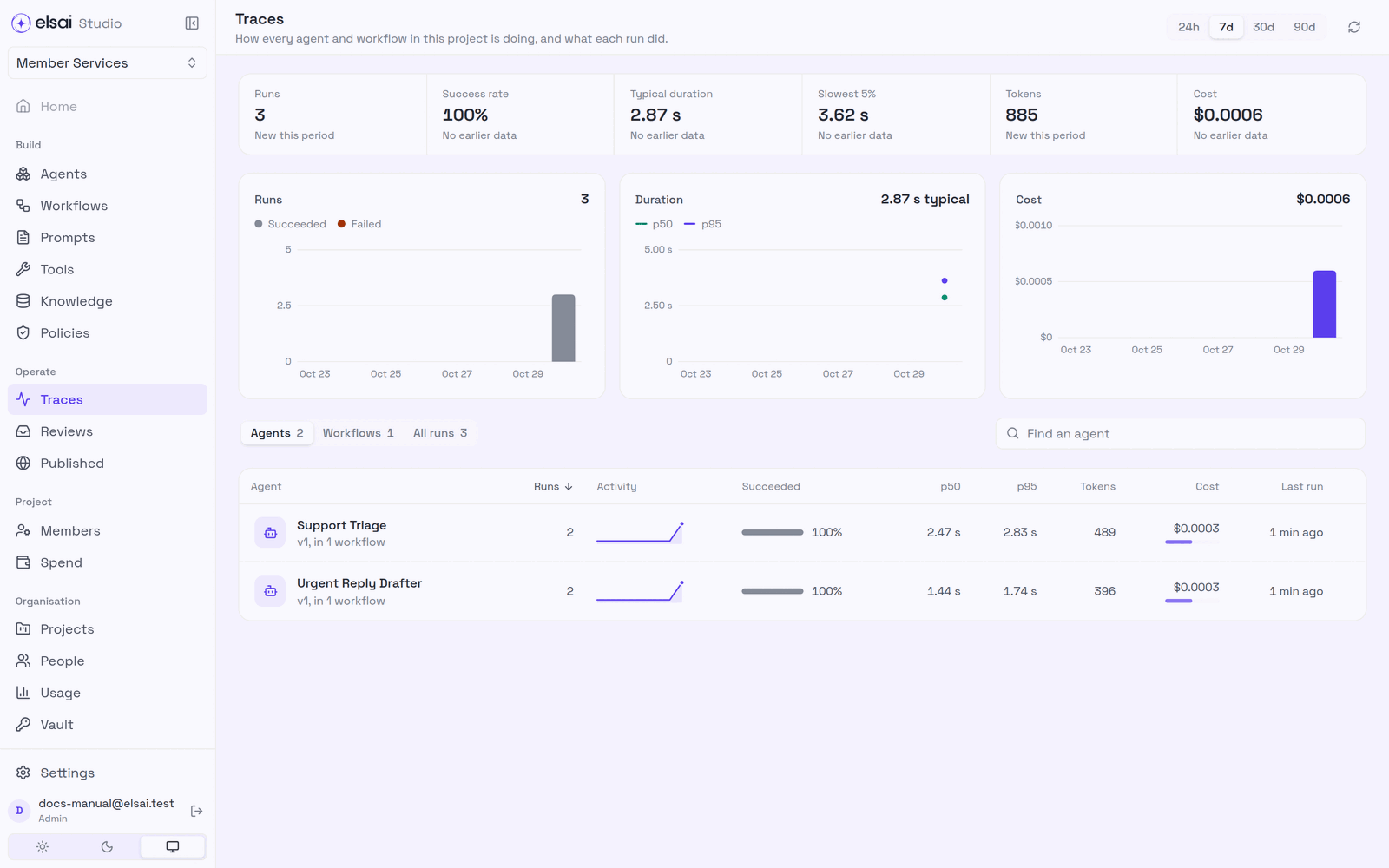
| Figure | Meaning |
|---|---|
| Runs | How many runs started in the period |
| Success rate | The share that finished without failing |
| Typical duration / Slowest 5% | The median (p50) and the 95th percentile (p95) |
| Tokens · Cost | What the runs used |
| Charts | Runs (succeeded/failed), duration (p50/p95) and cost, per day |
Each figure compares with the period before (No earlier data when there is none). Below are tables for Agents, Workflows and All runs.
3. Look at one agent
Click an agent in the Agents table.
Screenshot: One agent's traces
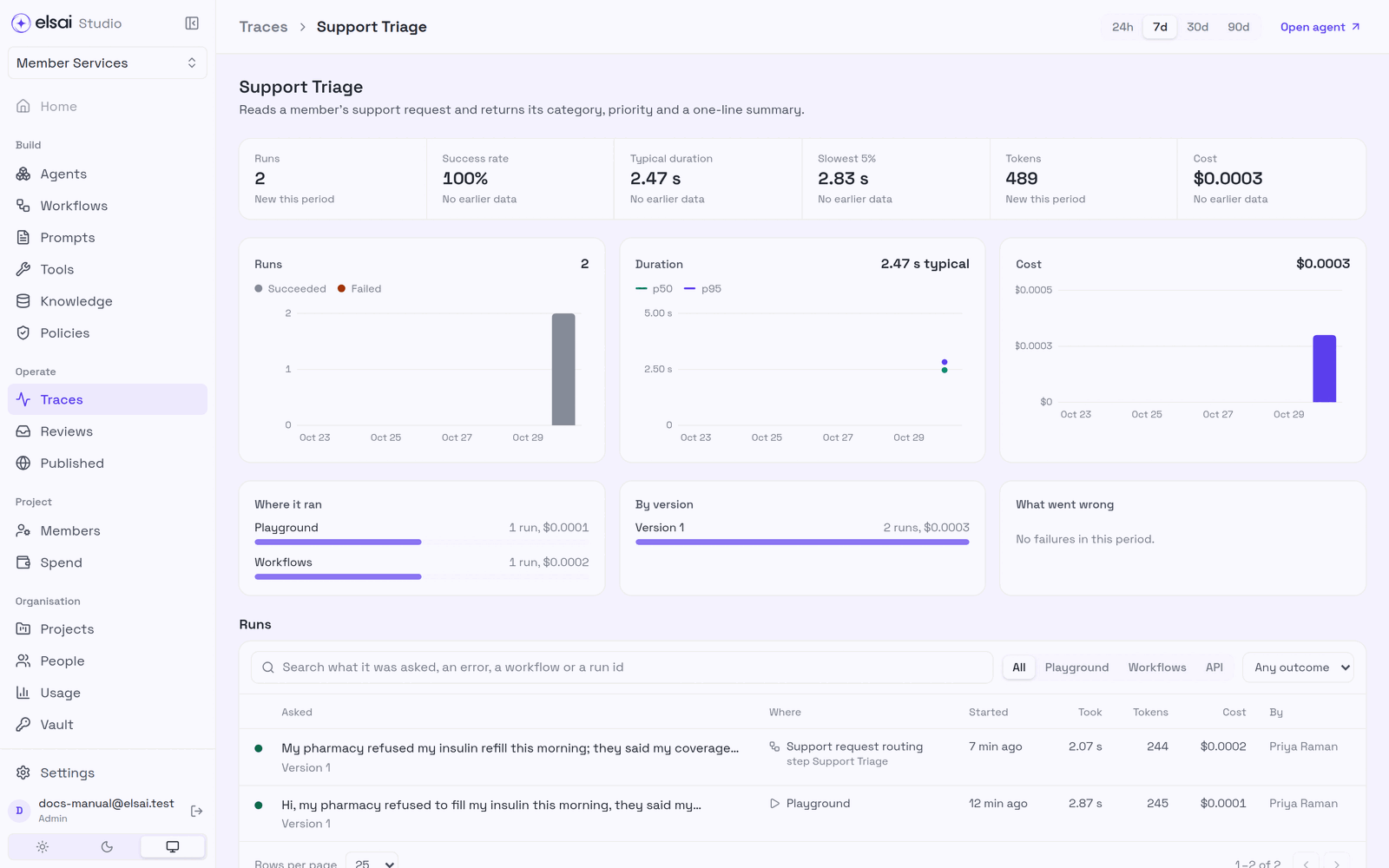
| Section | Shows |
|---|---|
| Figures and charts | As on the overview, for this agent only |
| Where it ran | Playground, workflows and API, with runs and cost for each |
| By version | Runs and cost per published version, compare a new version with the old |
| What went wrong | Failures in the period, grouped |
| Runs | Every run, filterable by Playground · Workflows · API and by outcome |
Open agent jumps to the agent builder.
4. Look at one run
Click any run.
Screenshot: One run
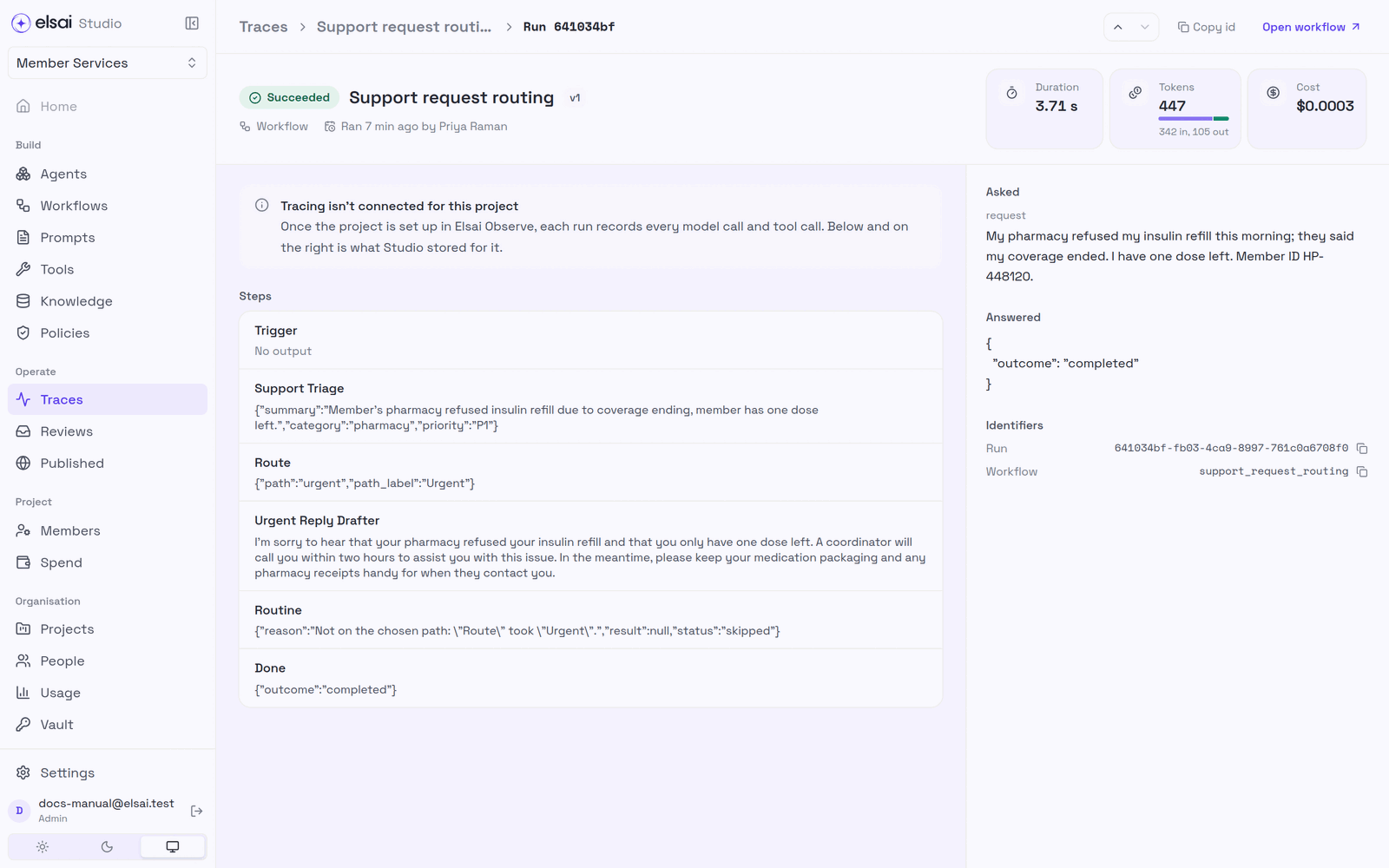
| Section | Shows |
|---|---|
| Header | Succeeded/Failed, workflow or agent and version, who ran it and when, duration, tokens (in/out), cost |
| Steps | Every step and what it returned. A skipped step says why |
| Asked | The run's input |
| Answered | The final result |
| Identifiers | The run id (Copy id) and the workflow/agent key, for support requests |
Open workflow returns to the canvas.
Full model and tool detail
When the project is connected to Elsai Observe, each run also records every model call and tool call in detail. If it is not, the run page says Tracing isn't connected for this project and shows what Studio itself stored, which is still the complete step-by-step record above. Ask an Admin to connect the project.
5. Troubleshooting
| Symptom | Likely cause | Fix |
|---|---|---|
| A run you expected is missing | It is outside the period, or filtered out | Widen the period (90d); clear filters |
| Tracing isn't connected for this project | The project is not set up in Elsai Observe | Ask an Admin; Studio's own record is still shown |
| Cost shows $0 | The model has no price | Set the model's price (Agents → Model prices) |
| Success rate dropped after a publish | The new version behaves differently | Compare By version; deprecate it or publish a fix |