
Appearance
Published agents (API)
Give a published agent a URL so other systems, a web app, a mobile app, a backend job, a partner, can call it with a key. Each URL has its own keys, its own monthly budget and its own record of calls.
At a glance
| Where | An agent's Publish tab → Deploy; and Sidebar → Operate → Published |
| Who | Admins only. An endpoint spends the organisation's money on someone else's behalf, so the API refuses these screens to anyone else |
| Before you begin | A published version of the agent. A URL always runs a published version, never a draft |
Only agents can be given a URL today. A workflow cannot yet be called from outside Studio (see Workflow steps → Trigger).
1. What it is and why it matters
- The URL never changes when you publish a new version, so nobody's integration has to change.
- One key per caller: a leaked key can be revoked without cutting everyone else off.
- Every call is a run like any other, in Traces, costed, and counted against budgets.
2. Deploy an agent
- Publish the agent (Agents → Publish).
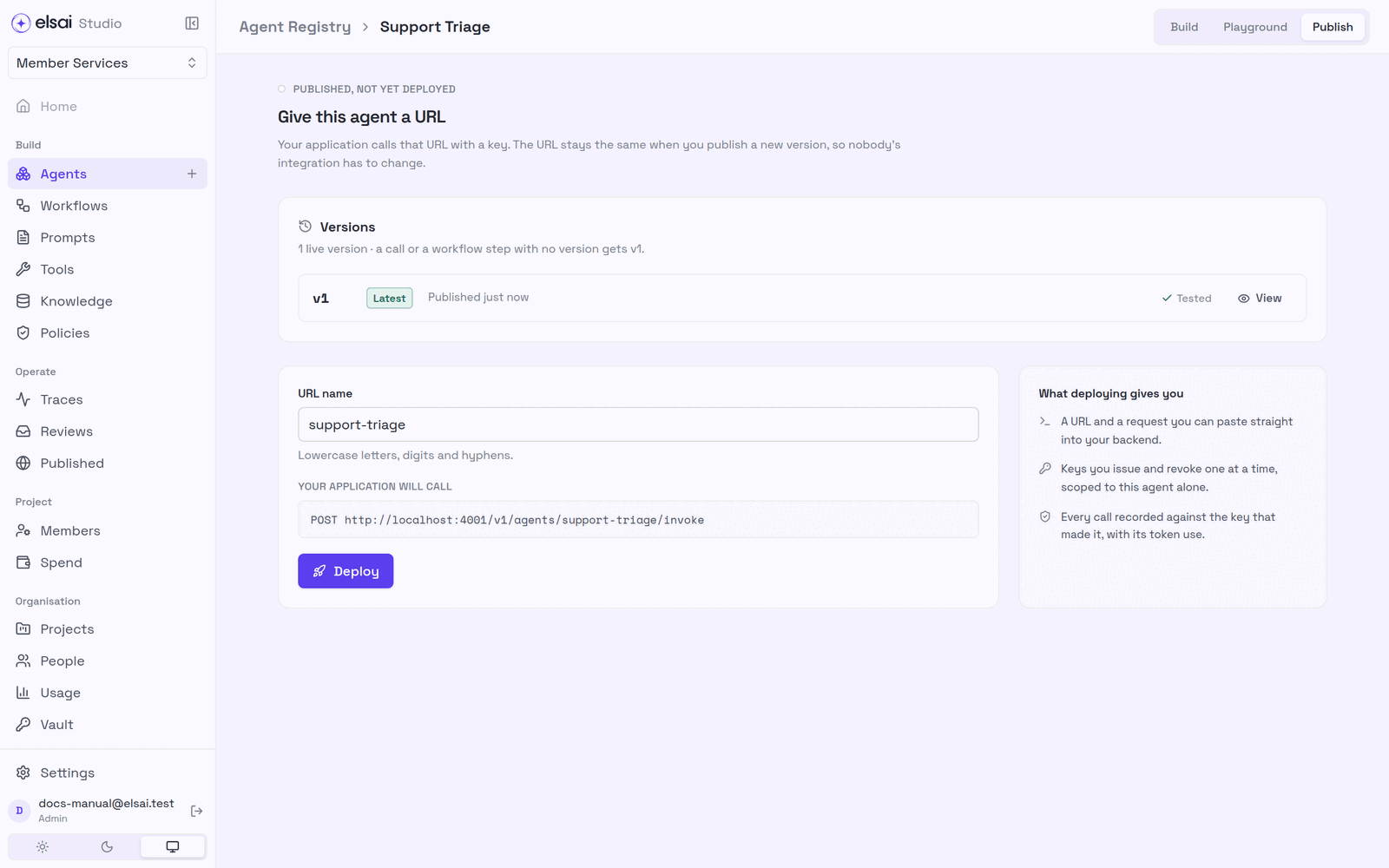
- On the agent's Publish tab, check the URL name (lowercase letters, digits and hyphens). It is what callers see; changing it later means changing their integration.
- Click Deploy.
Screenshot: Before deploying
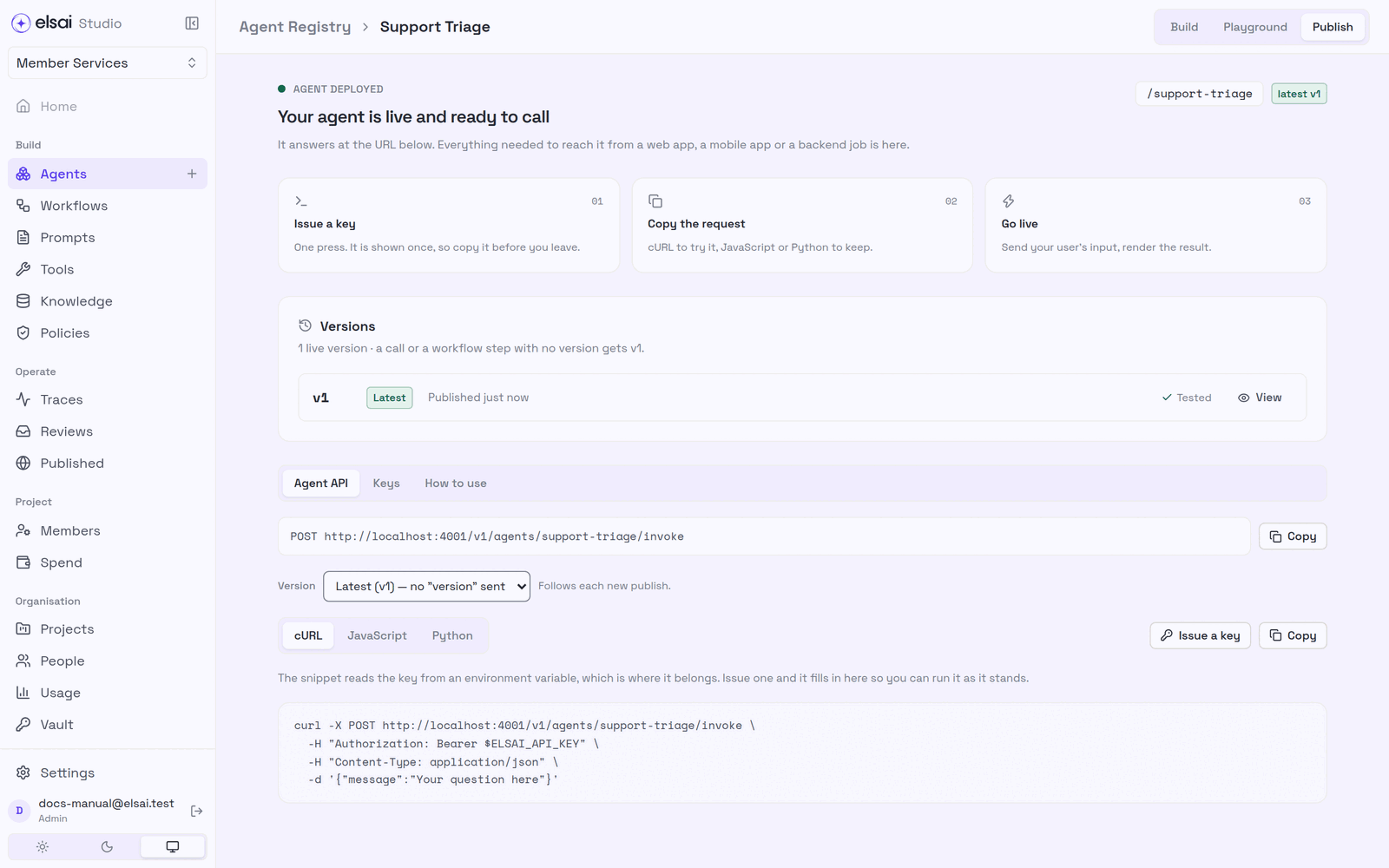
The tab now shows Your agent is live and ready to call, with three steps: Issue a key, Copy the request, Go live.
Screenshot: Deployed
3. Issue a key
- Open the Keys tab and click Issue a key.
- Give it a name you will recognise when deciding whether to revoke it (e.g. Partner integration).
- Copy this key now, it is shown once. Store it where your server reads its configuration.
- Click I've copied it.
Keep keys on servers. Never put a key in a browser or mobile app.
To revoke a key, open it on the Keys tab → Revoke this key? → confirm. Calls with it stop at once.
4. Call the agent
The Agent API tab gives a request you can paste, in cURL, JavaScript or Python.
bash
curl -X POST https://<studio-api>/v1/agents/support-triage/invoke \
  -H "Authorization: Bearer $ELSAI_API_KEY" \
  -H "Content-Type: application/json" \
  -d '{"input": {"request": "My pharmacy refused my insulin refill…"}}'
The body
| Field | Meaning |
|---|---|
input | The agent's declared inputs by name, e.g. {"request": "…"} |
message | A shortcut for an agent with exactly one input: the text goes into it. Send message or input.<name>, not both |
version | Optional. Leave it out and the latest published version answers. Add "version": 2 to stay on one |
What comes back
json
{
  "run_id": "641034bf-…",
  "status": "completed",
  "version": 1,
  "result": { "category": "pharmacy", "priority": "P1", "summary": "…" },
  "error": null,
  "outcome": { … },
  "usage": { "input_tokens": 342, "output_tokens": 105 }
}| HTTP status | Meaning |
|---|---|
| 200 | The run finished; result holds the answer |
| 202 | Still running. Fetch GET /v1/runs/<run_id> with the same key until it settles |
| 400 | The body is wrong, the message says how |
| 401 / 403 | No key, a revoked key, or a key for a different endpoint |
| 429 | quota_exceeded (the endpoint's monthly token budget) or budget_exceeded (a project or key budget). Read the Retry-After header |
Retrying safely. Send an Idempotency-Key header. A retried call with the same value returns the first run instead of starting, and paying for, another.
Where rate limits are switched on (the usual setting), each key may make up to 120 calls a minute.
5. Watch and limit an endpoint
Operate → Published lists every agent with a URL, busiest first, with calls, success rate, typical and slowest duration, tokens and cost for the period (24h · 7d · 30d · 90d).
Screenshot: Operate → Published
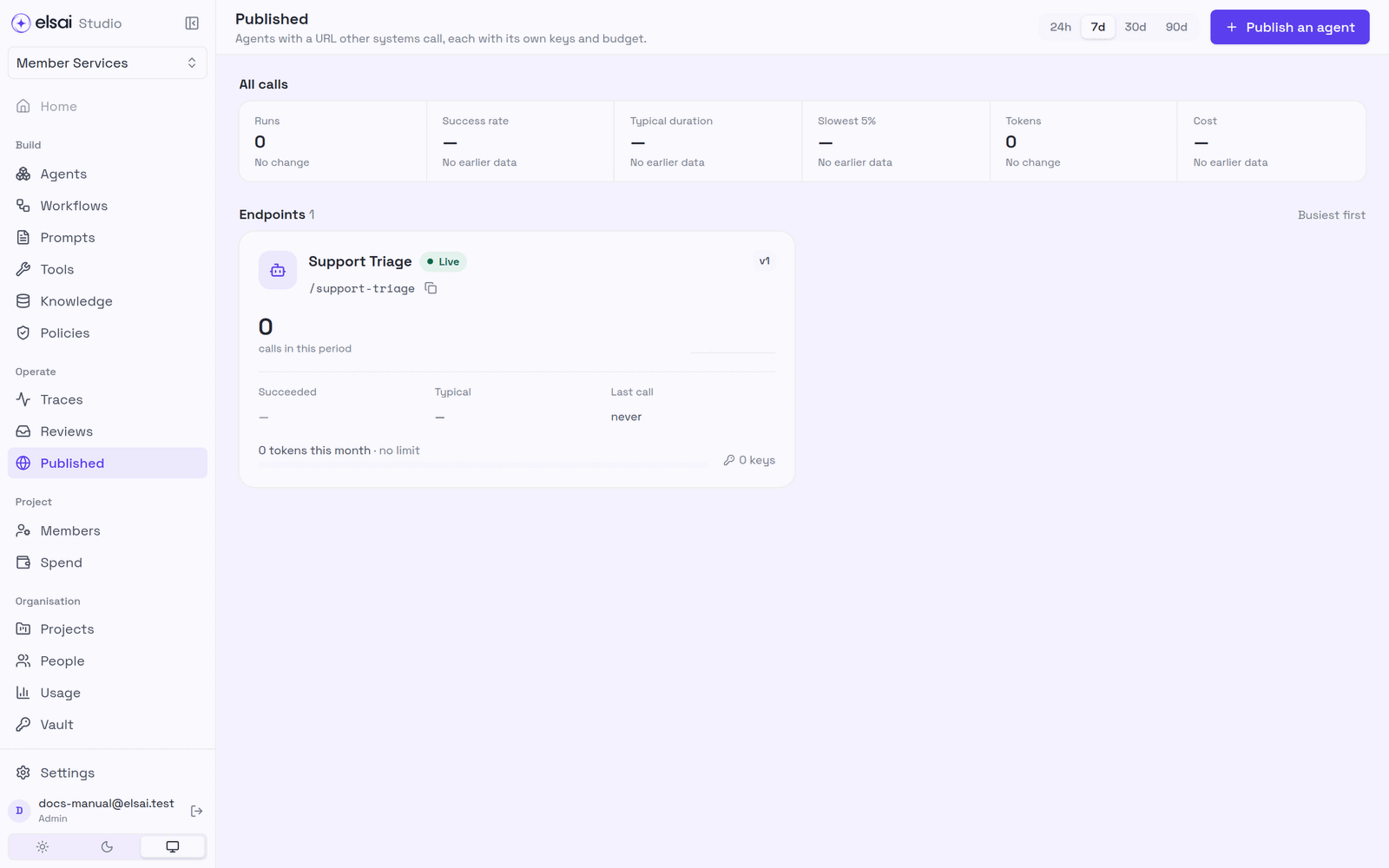
Open an endpoint to see:
| Section | Shows / does |
|---|---|
| Call it | The URL, the body, what comes back, and which version answers |
| Keys | Keys that can call this URL: created, last used; Issue a key; revoke |
| Monthly token budget | Counted over the calendar month (UTC). Calls are refused once it is used up. Leave blank for no limit |
| Recent calls | Search what it was asked, an error or a run id; open any call's trace |
API keys can also have a dollar or token budget of their own, set on Project → Spend → API keys (Spend and budgets). The project budget always applies on top.
6. Troubleshooting
| Symptom | Likely cause | Fix |
|---|---|---|
| No Published in the sidebar | You are not an Admin | Ask an Admin |
| Deploy is not offered | No published version | Publish the agent first |
401 | Missing, wrong or revoked key | Check the Authorization: Bearer header; issue a new key |
403 That key is for a different endpoint | A key for another agent | Use this endpoint's key |
400 …so message is ambiguous | The agent has several inputs | Send input with each field |
400 declares no inputs, so there is nowhere to put message | The agent takes no input | Send {} or input |
429 quota_exceeded | The endpoint's monthly token budget is used up | Raise it, or wait for the month to reset |
429 budget_exceeded | A project or API key budget is used up | See Retry-After; raise the budget on Spend |
202 and no result | The run took longer than the wait | Poll GET /v1/runs/<run_id> |
| Callers suddenly get different answers | A new version was published and they send no version | Pin "version": N in their calls |
| A call fails for an app tool | The tool uses a personal app account and the key's creator has none | Use a shared account (Apps) |