
Appearance
Project members
Decide who can work in a project. Everything in a project, agents, workflows, prompts, runs, is invisible to anyone who is not a member.
At a glance
| Where | Sidebar → Project → Members |
| Who | Admins only |
| Before you begin | The person has an account. (New people register themselves, see Signing in) |
1. What it is and why it matters
What someone can do is decided by two things together:
| Decides | Set on | |
|---|---|---|
| Organisation role | What they may do: view, build, publish, administer | People (People and roles) |
| Project access | Where they may do it | Members (this page) |
An Author added to Member Services can build there and nowhere else. Project membership has no role of its own, one role per person, applied in every project they belong to.
Administrators can reach every project, whether or not they are members.
Project access also matters outside Studio: a member of a project here can publish that project's prompts in Instruction Manager (where the publishing flow allows), and sees its traces in ARMS.
2. See who is in the project
Screenshot: Members
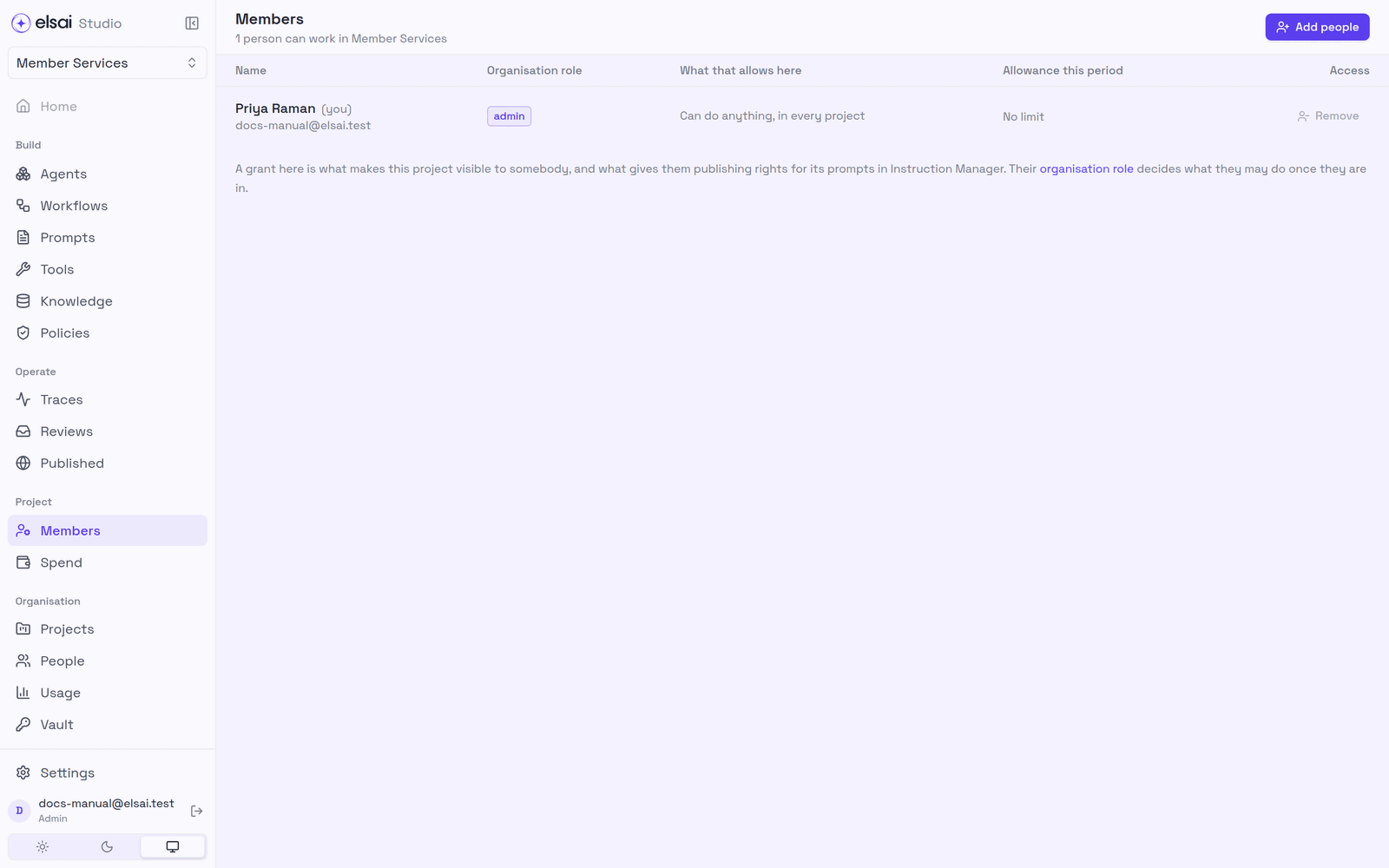
| Column | Shows |
|---|---|
| Name | The person and their email |
| Organisation role | Viewer, Author, Approver or Admin |
| What that allows here | E.g. Can read everything in this project, Can create and edit, but not publish, Can create, edit and publish, Can do anything, in every project |
| Allowance this period | Their spending allowance, if budgets are set (Spend) |
| Access | Remove |
3. Add people
- Click Add people.
- Search by name or email and tick each person.
- Click Add people.
Screenshot: Add people
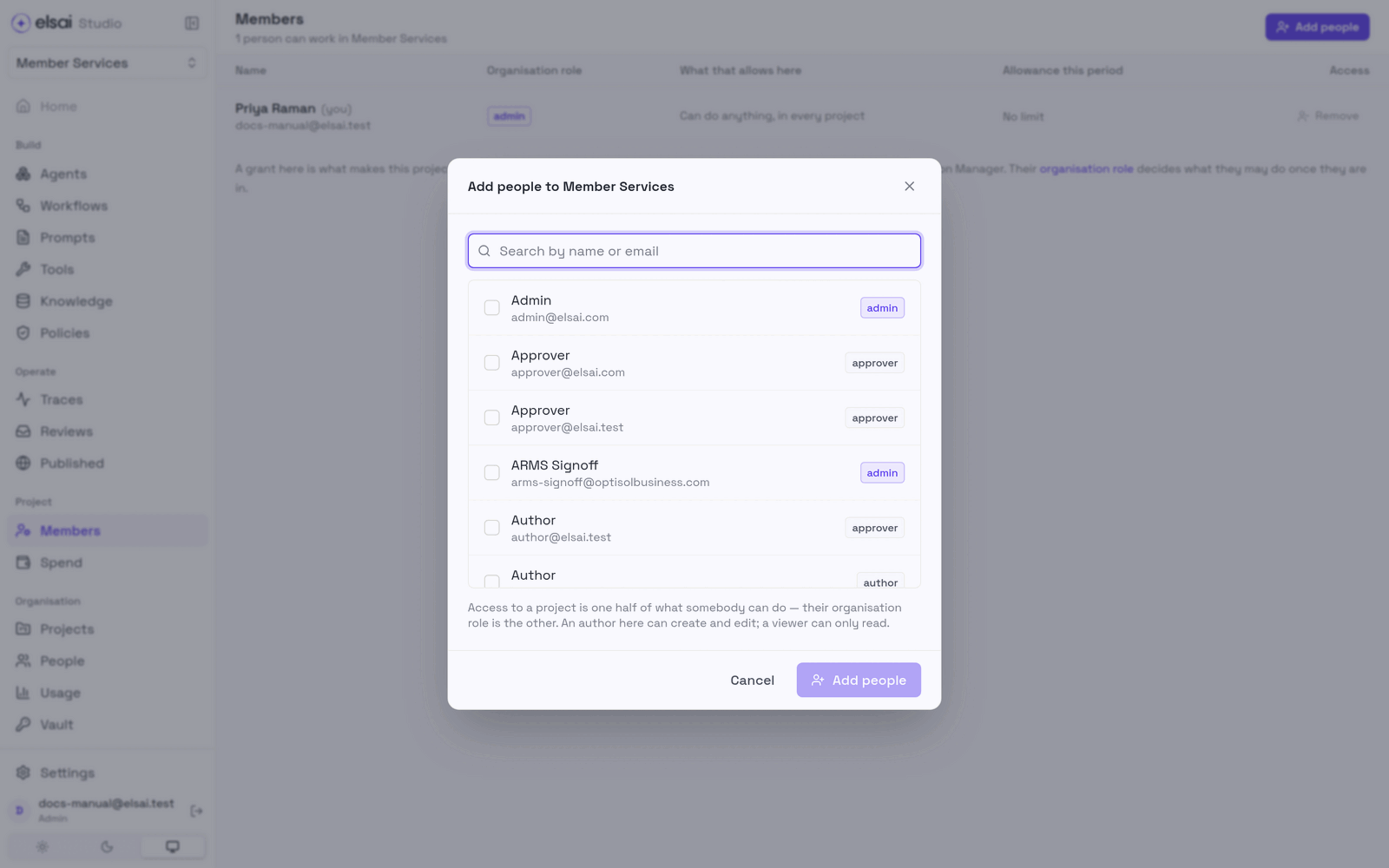
They can open the project straight away. If they need to build or publish, check their organisation role on People.
4. Remove someone
Click Remove on their row. They keep their account and their history (what they authored, the runs they started) but can no longer open the project. The change is also passed on to Instruction Manager and ARMS.
5. Troubleshooting
| Symptom | Likely cause | Fix |
|---|---|---|
| No Members in the sidebar | You are not an Admin | Ask an Admin |
| Everyone in this organisation is already in this project | Nobody left to add | None |
| Someone added can see but not build | Their role is Viewer | Raise it on People |
| Some people could not be added | A temporary error for those people | Try them again |